Review Comments (1) Screenshots (3) Questions & Answers (0) Votes (9) Awards (1) Wiki  
(9)
Microsoft
1.0.0001
www.microsoft.com
Freeware
1 158 people
Download CmdHere Powertoy...

513.59 KBDownloaded 1856 times

This software was checked for viruses Last month and was found to contain no viruses.
Click here to see antivirus report.
 

Review

CmdHere is one of the several so called “PowerToys” for Windows XP, available at the download section of the Microsoft Corporation Web site. These PowerToys are little applications that add a specific functionality to the operating system.
What CmdHere basically does is adds an option to the context menus of the folders to quickly access a command window. It’s a shortcut for the cmd.exe file with the additional advantage that the command window, which will be opened, will automatically set the path to the folder from which you execute cmd.exe. The new option will show up on the context menus after the program's installation, and you will identify it as CMD SHELL:\>

But the same action can be performed by simply pressing on the 'Win'+'R' buttons and entering 'cmd' in the window that will be opened.

There’s no more to say about this PowerToy but that it is free and won’t have any Microsoft Technical support, just like any other PowerToy. The only way to uninstall CmdHere is through the Control Panel, Add or Remove Programs option; it will not create a program group or any access to uninstalling.
  • No advantages.
  • It won't have Microsoft technical support.
  • Useless, as the same action can be performed by pressing on the 'Win'+'R' buttons and entering 'cmd' there.

Reviewed by: Lionel Mira

Reviewer rating:

Reviewed: 2 years ago

Report a wrong version Report a wrong program title Suggest a correction

Screenshots

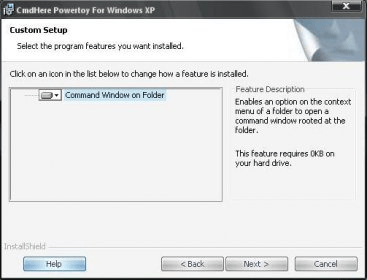
Installing CmdHere Installing CmdHere Context menu modified Context menu modified Command window opened Command window opened

Latest comments

Alex Sams(beginner) Last year 
This powertoy does have advantages, the second disadvantage is incorrect. Once installed if you right click a folder and select "open command window here" a command window is opened and is already navigated to that folder. Removing the need to hold win+R, removing the need to type cmd in the box, removing the need to navigate to the folder via dos.The the basic command prompt opens at C:\Documents and Settings\User by default.
Reply
Add new comment

E-mail Address:

Password:

Register now »

Forgot password?

Sign in with:
Download Software Informer Client
Copyright © 2012, Informer Technologies, Inc. About| Privacy and terms| Help| Feedback & Support| Partners program